 English
  Português
Every company has processes that still live in shared spreadsheets, email chains, and paper forms. Purchase requests that get lost in inboxes, checklists filled out by hand, and inventory controls that depend on a single person are common examples. This is the type of problem Microsoft created Power Apps to address. The Power Platform, which includes Power Apps, reached 56 million monthly active users in 2025, up 27% year over year, according to Microsoft.
In this article, you will understand what Power Apps is, how companies use it in their daily operations, how much it costs in 2026, and what its limitations are. We also present 10 examples of corporate applications and objective criteria for determining when it makes sense to move to custom software.
Quick answer: Power Apps is Microsoft’s low-code platform for creating business applications (web and mobile) with little or no code. It connects to sources such as SharePoint, Excel, SQL Server, and Dataverse and is mainly used to digitize forms, automate approvals, and replace spreadsheets with internal applications.
In this article:
- What is Power Apps?
- What is Power Apps used for in practice?
- 10 examples of corporate applications built with Power Apps
- How much does Power Apps cost in 2026?
- Power Apps limitations: when is it no longer the best choice?
- Power Apps and AI in 2026: Copilot, vibe coding, and agents
- 7 tips for creating and scaling Power Apps
- Frequently asked questions about Power Apps
What is Power Apps?
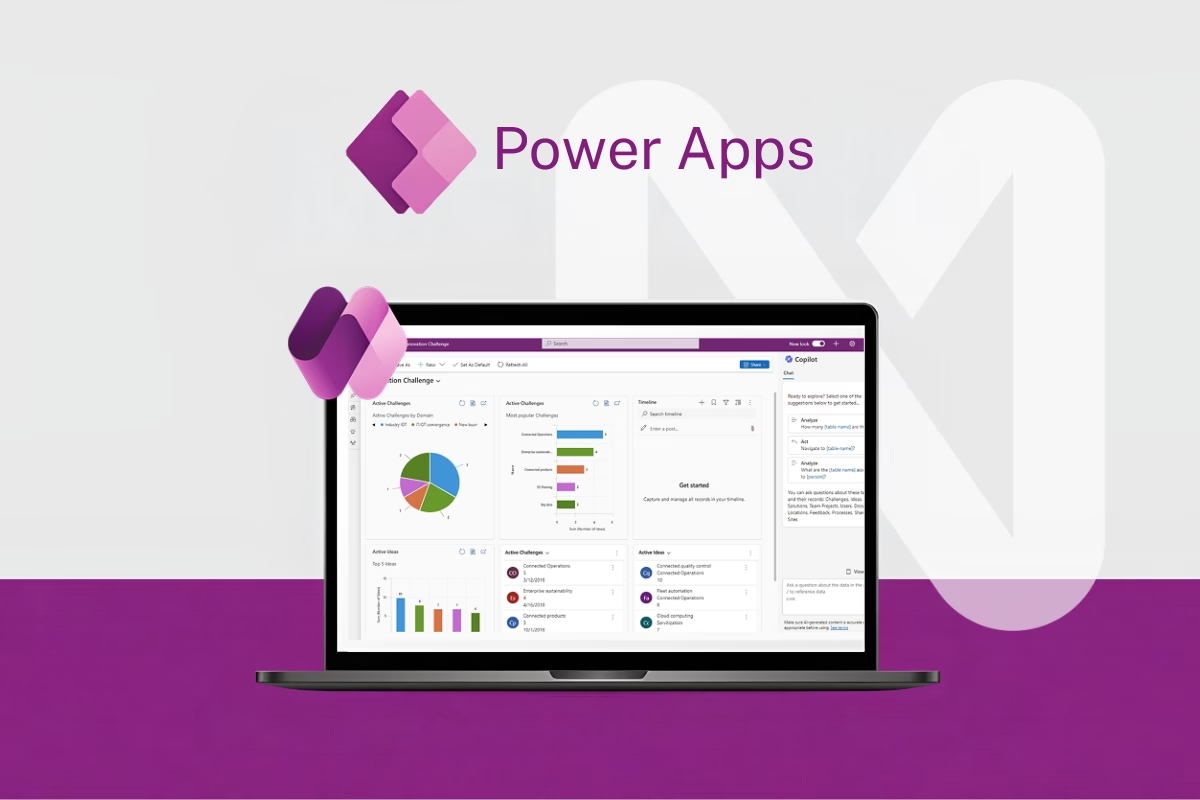
Microsoft Power Apps is a low-code development platform that allows companies to create customized business applications using visual components, ready-made templates, and data connectors. It is part of Microsoft Power Platform, alongside Power Automate (workflow automation), Power BI (data analysis), Power Pages (external websites), and Copilot Studio (AI agents).
The logic behind applications is written in Power Fx, a formula language inspired by Excel. In practice, this means that a business analyst familiar with spreadsheets can create rules such as filtering records, validating fields, or calculating values without having to learn a traditional programming language.
Another key element is connectors. Power Apps integrates natively with services such as Microsoft 365, SharePoint, Teams, Outlook, SQL Server, and Dynamics 365, as well as hundreds of third-party systems. For more structured data, Microsoft offers Dataverse, a managed database with profile-based security, relationships between tables, and business rules.
Types of applications in Power Apps
Power Apps works with three main formats:
Canvas apps: the creator designs the interface freely, screen by screen, similar to creating a presentation. They are ideal for mobile apps, forms, and simple workflows, with complete layout flexibility.
Model-driven apps: these start from the data model in Dataverse. The interface is automatically generated from tables, forms, and views, making this format suitable for processes with many records and stages, such as ticketing or contract management.
Code apps: designed for developers who prefer to write code, such as React, and publish the result within the governed Power Platform environment.
For applications accessed by customers, suppliers, or partners, Microsoft recommends Power Pages, which creates external portals connected to the same data.
What is Power Apps used for?
In practice, Power Apps is used to transform manual processes into digital workflows, with centralized and traceable data. The most common uses can be summarized in three areas: digitizing forms, automating approvals, and providing a user-friendly interface for data that is currently scattered across spreadsheets.
The benefits can be significant. A Total Economic Impact™ study conducted by Forrester Consulting and commissioned by Microsoft found a 206% ROI over three years for the composite organization analyzed, a 50% reduction in professional developer application development time, up to 250 hours of annual time savings per employee in high-impact use cases, and a payback period of less than six months.
Microsoft also summarizes these findings in its Power Platform blog, including the 206% ROI, 50% reduction in development time, and 250 hours of annual time savings in high-impact cases.
This movement is part of a broader low-code and no-code trend. Gartner previously projected that 70% of new enterprise applications would use low-code or no-code technologies by 2025, compared with less than 25% in 2020. Because this is a projection rather than a current measurement, it should be understood in that context.
The trend does not mean Power Apps replaces technology teams. It helps reduce the backlog of departmental requests, while strategic projects involving critical integrations and large numbers of users still require software engineering. For these cases, working with dedicated software development squads can provide greater predictability in scope, timeline, and quality.
10 examples of corporate applications built with Power Apps
The table below summarizes the examples. We then detail each one, including the problem, solution, integrations, and signs that the app may require a more robust architecture.
| # | Area | Application | Type | Complexity |
|---|---|---|---|---|
| 1 | HR | Vacation request and approval | Canvas | Low |
| 2 | Finance | Purchase and expense reimbursement approval | Canvas | Medium |
| 3 | Operations | Field inspection checklist | Canvas (mobile) | Medium |
| 4 | Logistics | Barcode inventory management | Canvas (mobile) | Medium |
| 5 | IT and Facilities | Help desk and internal tickets | Model-driven | Medium |
| 6 | HR | Employee onboarding | Model-driven | Medium |
| 7 | Sales | Visit tracking and lightweight CRM | Canvas (mobile) | Medium |
| 8 | Maintenance | Asset management and preventive maintenance | Model-driven + canvas | High |
| 9 | Facilities | Room, desk, and vehicle booking | Canvas | Low |
| 10 | Procurement | Supplier registration and qualification | Model-driven + Power Pages | High |
1. Vacation request and approval
The problem: Vacation requests arrive by email, managers forget to respond, and HR manually consolidates everything into a spreadsheet.
How the app solves it: Employees submit requests from their phones or through Teams. The request is automatically sent to the manager and then to HR. Everyone can track the status in real time.
Data and integrations: SharePoint list or Dataverse table, Power Automate for the approval workflow, and Teams notifications.
Type and complexity: Canvas app, low complexity. It is an excellent first project.
2. Purchase and expense reimbursement approval
The problem: Paper receipts, manual verification, and approvals that depend on someone remembering to check their email.
How the app solves it: The employee photographs the receipt, AI Builder extracts the amount, date, and supplier, and the request moves through the approval process according to the defined authorization level.
Data and integrations: Dataverse, AI Builder (receipt recognition), and Power Automate.
Type and complexity: Canvas app, medium complexity.
Warning sign: When multiple approval levels, cost centers, and the need for two-way ERP integration arise, the app is no longer just a form. It becomes part of the financial system. At this point, architecture becomes a key consideration.
3. Field inspection checklist
The problem: Technicians complete safety checklists on paper, photos remain on personal phones, and the report only arrives days later.

How the app solves it: The inspector completes the checklist on a mobile device, attaches photos, records geolocation, and works even without an internet connection. The data synchronizes when the connection is restored.
Data and integrations: Dataverse, camera, GPS, and the app’s offline mode.
Type and complexity: Mobile canvas app, medium complexity.
4. Barcode inventory management
The problem: Inventory entries and exits are recorded in spreadsheets, discrepancies are frequent, and stock counts take too long.
How the app solves it: The operator uses the phone’s camera to scan the barcode, records the movement, and checks the current balance immediately.
Data and integrations: Dataverse or SQL Server and Power Apps’ native barcode scanner.
Type and complexity: Mobile canvas app, medium complexity.
Warning sign: With thousands of items and transactions, the app can run into the platform’s query limitations. If real-time synchronization with a WMS or ERP is also required, custom software development may provide a more reliable architecture.
5. Help desk and internal tickets
The problem: Requests for IT and maintenance arrive by phone, email, and informal conversations, without history or prioritization.
How the app solves it: Employees open tickets through a single form, while the team manages queues, responsible users, and statuses from a central panel.
Data and integrations: Dataverse, Teams, and email.
Type and complexity: Model-driven app, medium complexity.
6. Employee onboarding
The problem: Bringing in a new employee involves HR, IT, Facilities, and the manager, and some step is always at risk of being overlooked.
How the app solves it: Each new hire generates a list of tasks by department (equipment, access, training), with deadlines and responsible users.
Data and integrations: Dataverse, Microsoft Entra ID, and Planner.
Type and complexity: Model-driven app, medium complexity.
7. Field visit tracking and lightweight CRM
The problem: Salespeople record visits in notebooks or spreadsheets, while management lacks visibility into the sales pipeline.
How the app solves it: The salesperson checks in at the customer’s location, records the visit and next steps, and the data feeds Power BI dashboards.
Data and integrations: Dataverse, maps, and Power BI.
Type and complexity: Mobile canvas app, medium complexity.
8. Asset management and preventive maintenance
The problem: Equipment has no maintenance history, unplanned downtime occurs, and maintenance is tracked from memory.
How the app solves it: Each asset receives a QR code. When it is scanned, the technician can view its history, record interventions, and receive preventive maintenance alerts.
Data and integrations: Dataverse, QR codes, and Power Automate.
Type and complexity: Combination of model-driven (management) and canvas (field operations), high complexity.
Warning sign: Integration with IoT sensors, predictive maintenance, and advanced work-order planning often require custom-built solutions.
9. Room, desk, and vehicle booking
The problem: Calendar conflicts, reserved but unused rooms, and fleet management handled through spreadsheets.
How the app solves it: Employees can view availability, make reservations, and receive calendar confirmations.
Data and integrations: SharePoint and Outlook.
Type and complexity: Canvas app, low complexity. This is a good example of a case where Power Apps is sufficient and is unlikely to need further evolution. Not every application needs to become a software development project.
10. Supplier registration and qualification
The problem: Documents are sent by email, validations are performed manually, and there is no control over certification expiration dates.
How the app solves it: The supplier submits data and documents through a portal. The procurement team reviews and approves them and tracks expiration dates through an internal application.
Data and integrations: Dataverse, Power Pages (external portal), and Power Automate.
Type and complexity: Model-driven app with Power Pages, high complexity.
Warning sign: When the portal serves thousands of external users, requires a branded user experience, or generates high external licensing costs, it is worth evaluating a software development project with a defined scope.
How much does Power Apps cost in 2026?
Power Apps offers a free developer plan for creating and testing applications and basic functionality included in some Microsoft 365 licenses. For production applications with premium connectors and Dataverse, the paid plans include:
| Plan | List price | Recommended for |
|---|---|---|
| Power Apps Premium | US$20 per user/month | Frequent users, unlimited apps |
| Power Apps Premium (over 2,000 licenses) | US$12 per user/month | Large deployments |
| Pay-as-you-go | US$10 per active user/app/month | Occasional or seasonal use |
Sources: AlphaBOLD and SAMexpert.
An important change: the US$5 per user/app/month per-app plan was removed from the licensing guide in January 2026. Customers with Enterprise Agreements and CSP can still renew it, but new customers in other channels need to choose Premium or pay-as-you-go.
It is also important to consider costs that are often left out of the initial budget: additional Dataverse storage, Power Automate licenses for automations between systems, and extra AI Builder credits. The prices above are list prices in US dollars; the amount in Brazilian reais varies according to the contract and Microsoft partner.
Power Apps limitations: when is it no longer the best choice?
Power Apps is highly useful for internal and departmental processes, but it has limitations that need to be understood before an application grows.
The main one is delegation. When a query cannot be processed directly by the data source, Power Apps retrieves only the first 500 records, with the limit adjustable up to 2,000, and may return incorrect results if the database is larger. In an inventory app with tens of thousands of items, for example, a poorly designed search may simply fail to find the requested product.
Other points to consider:
- Cost per user: for hundreds or thousands of users, the monthly license cost can exceed the cost of building and maintaining a proprietary system.
- External users: customers and partners require Power Pages, with a different cost model and experience limitations.
- User experience: the interface is functional, but advanced UX and performance customizations are limited; apps for public stores (App Store and Google Play) are not the platform’s primary focus.
- Complex integrations: legacy systems, custom APIs, and real-time synchronization often require dedicated development.
- Platform dependency: the application remains tied to Microsoft’s ecosystem and licensing rules.
Power Apps vs. custom software development
| Criterion | Power Apps is the better fit | Custom software is the better fit |
|---|---|---|
| Users | Internal users already on Microsoft 365 | Customers, partners, or external users at scale |
| Data volume | Thousands of records, simple queries | Millions of records, complex queries and reports |
| Experience | Functional, standard form-based interface | Branded UX, critical performance, app-store publication |
| Integrations | Ready-made connectors (Microsoft 365, SharePoint, SQL) | Custom APIs, legacy systems, real-time integrations |
| Cost | Few licensed users | Many users, where licensing costs outweigh the project |
| Timeline | Weeks, MVP, or departmental process | Medium- and long-term strategic product |
| Control | Platform dependency is acceptable | Full control over code and architecture |
Many companies adopt a hybrid approach: they validate the process in Power Apps and, when the application becomes critical, migrate to a proprietary solution or integrate both worlds through APIs.
Did your Power Apps application grow beyond the platform? NextAge builds dedicated full-stack squads to transform critical processes into custom software, with scope and backlog defined before the first sprint, contractual SLA, and AI-assisted code review. With more than 19 years in the market and over 600 projects delivered, NextAge can support your software development journey. Talk to a specialist, at no cost and with no commitment.
Power Apps and AI in 2026: Copilot, vibe coding, and agents
Artificial intelligence has changed how applications are created in the Power Platform. Microsoft has described the expansion of AI-powered development and automation as a key part of the platform’s evolution.
Among the developments in 2026 are:
- Natural-language creation (vibe coding): the creator describes the application and AI generates screens, the data model, and formulas, which are then reviewed and adjusted.
- Code agents: AI-based development agents can assist with creating and editing applications.
- AI-generated model-driven apps: requirements written in natural language can be transformed into application structures, including tables, forms, views, and validation rules.
- Copilot inside apps: users can request record summaries, analyses, and next steps without leaving the application.
Microsoft’s current Power Apps materials also highlight AI-powered application development and the integration of Copilot into the platform.
AI accelerates development, but it does not eliminate the need for good practices. Data modeling, security, testing, and governance remain the responsibility of those who build and maintain the application. AI-generated applications and features should be evaluated carefully before being used in production.
7 tips for creating and scaling Power Apps
- Start with a process that has a real pain point and a clear owner: Approvals and checklists are good starting points; choose something with visible impact and someone responsible for the outcome.
- Choose your data source with future volume in mind: Excel and SharePoint work for small databases; for growth, relationships, and profile-based security, consider Dataverse or a SQL database.
- Address delegation warnings from day one: An app that works with 300 records may fail silently with 3,000.
- Separate development, testing, and production environments: Making changes directly in production is a major source of incidents.
- Define governance: Data Loss Prevention (DLP) policies, connector controls, and a Center of Excellence help prevent orphaned applications and information exposure.
- Document the application and avoid dependence on a single person: Critical applications need maintenance, version control, and someone responsible for them when the original creator changes roles.
- Measure results: Hours saved, errors avoided, and process cycle time are the metrics that justify further investment.
Frequently asked questions about Power Apps
Is Power Apps free?
There is a free developer plan for creating and testing applications, and some Microsoft 365 licenses include basic use with standard connectors. For production use with premium connectors and Dataverse, you need to purchase Power Apps Premium or use the pay-as-you-go option.
Do I need to know how to code to use Power Apps?
Not for simple applications. The platform uses visual components and formulas similar to those found in Excel. Applications involving complex integrations, large volumes of data, or sophisticated rules, however, require technical knowledge.
What is the difference between Power Apps and Power Automate?
Power Apps creates the interface, meaning the screens users see and interact with. Power Automate creates the workflows that run behind the scenes, such as approvals, notifications, and integrations between systems. In most projects, the two work together.
Does Power Apps replace an ERP or management system?
No. It complements existing systems by covering processes that the ERP does not support or does not handle well. To replace a central system, the usual approach is custom software or a specialized market solution.
Is Power Apps secure and does it comply with the LGPD?
The platform provides security features, access controls, and data protection policies. However, compliance with the LGPD depends on how each application is configured and governed. Permissions, legal bases, and the handling of information remain the company’s responsibility.
When is it better to develop custom software?
When the application serves many users, especially external users, handles large volumes of data, requires real-time integrations, needs a branded experience, or when licensing costs exceed the cost of building and maintaining a proprietary solution.
Conclusion
Power Apps is one of the fastest ways to move internal processes away from spreadsheets and email, with productivity benefits and a low initial investment. Applications for vacation requests, checklists, reservations, and approvals can be deployed within weeks.
When an application becomes a strategic part of the business, with many users, critical integrations, or an external audience, the decision changes in nature. It becomes a matter of architecture, quality, and predictability. This is when a specialized team can make a difference.
NextAge, a software development company founded in 2007, builds dedicated squads to execute projects with defined scope, timelines, and quality, from the first requirement to the final commit.
Ready to turn your project into reality?