 English
  Português
Updated October 2026
Choosing between open source and closed source is one of the most recurring, and most poorly documented, architecture decisions IT managers face. It looks like a technical question, but in practice it’s a business decision: it affects total cost of ownership, development speed, vendor dependency, customization capacity, and even the makeup of the team you’ll need.
Most articles on this topic present a list of pros and cons for each side and end with “it depends on your company’s context,” which is true, but doesn’t help much when it’s time to actually decide.
In this article, we go further: beyond explaining the differences, we deliver a practical decision framework, five questions you can apply to your project right now to reach a better-grounded answer. And we cover a perspective most guides ignore: how this decision has changed with the arrival of LLMs and generative AI.
The decision framework, at a glance
Before diving into each step, here are the 5 questions that guide the decision, apply them to the specific system component you’re evaluating, not the whole project:
- Technical capacity — do you have a team to operate and maintain the software?
- Level of customization — how much does the system need to adapt to your specific context?
- Tolerance for lock-in — what’s the cost of switching vendors down the road?
- Security and compliance — what does your regulatory sector require?
- Time horizon — is this a short-term MVP or a system that needs to last for years?
Each one is detailed further below, with practical examples.
What is Open Source?
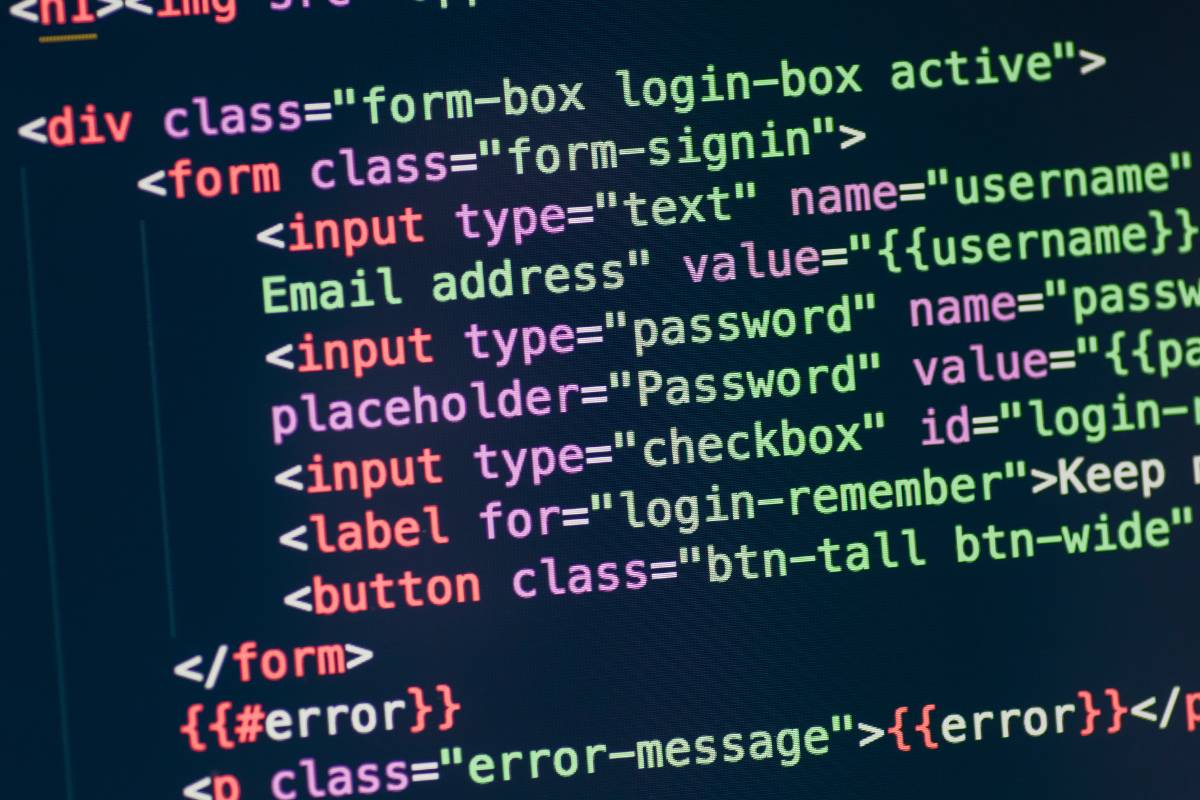
Open source is a type of software where the source code, the foundation of the program, is available to everyone. This allows anyone to see how it works, make adjustments to fit their own needs, fix bugs, or even add new features.
Key characteristics of open source:
- Transparency: Since the source code is available to everyone, it’s possible to understand exactly how the software works, which builds trust and enables adjustments whenever needed.
- Collaboration: Open source projects usually rely on global communities that contribute to continuous improvements.
- Reduced cost: Many open source software packages are free, which is ideal for startups or companies with limited budgets.
- Popular examples: Linux, Mozilla Firefox, WordPress, and Python are some widely used examples of open source software.
Despite the advantages, open source also comes with challenges: it requires technical skills for customization and maintenance, and technical support usually comes from the community, which can be less immediate than paid solutions.
What Is Closed Source?
Closed source, also called “proprietary software,” is software whose source code is kept confidential by its developers. Companies that create this type of software grant licenses for users to use the program, but don’t allow access to modify or customize its internal workings.
Key characteristics of closed source:
- Exclusive ownership: Only the developing company can modify or distribute the software, protecting its intellectual property.
- Focus on usability: Proprietary software generally has simpler, more user-friendly interfaces and specialized technical support, designed to make it easier for people without technical knowledge to use.
- Centralized control over updates: Updates and improvements are developed exclusively by the company, which ensures greater compatibility and stability.
- Well-known examples: Windows, Microsoft Office, Adobe Photoshop, and Apple’s operating systems.
Despite its advantages in terms of security and support, closed source can be more expensive and less flexible when it comes to specific customizations.
Examples of open source and closed source software
In practice, almost every company already uses both. Some well-known examples by category:
| Category | Open source | Closed source |
|---|---|---|
| Operating system | Linux, Android (AOSP) | Windows, macOS, iOS |
| Browser | Firefox, Chromium | Safari, Google Chrome (built on Chromium, with proprietary parts) |
| Database | PostgreSQL, MySQL, MariaDB | Oracle Database, Microsoft SQL Server |
| Office | LibreOffice | Microsoft 365, Google Workspace |
| Web server | Apache HTTP Server, Nginx | Microsoft IIS |
| Development | VS Code (open source base), Git, Kubernetes | Visual Studio, Xcode |
| AI models | Open-weight models such as Llama, Mistral and DeepSeek | GPT, Gemini, Claude |
Open Source vs. Closed Source: Pros and Cons
| Aspect | Open Source | Closed Source |
|---|---|---|
| Advantages | – Cost-effective (often free) | – Dedicated technical support |
| – Highly flexible and customizable | – User-friendly interfaces | |
| – Encourages innovation through global collaboration | – Centralized security and consistent updates | |
| – Greater transparency and privacy | ||
| Disadvantages | – Support depends on the community and may be limited | – Higher costs due to licensing fees |
Tip: Assess your company’s needs and priorities. Need customization? Go with open source. Looking for simplicity and ready-made support? Choose closed source. If you’re still unsure, NextAge can help identify the ideal solution for your business.
Open source licenses: permissive vs. copyleft
“Open source” doesn’t mean “no rules”. Every open source project has a license that defines what you can do with the code. Licenses fall into two main groups:
- Permissive (MIT, Apache 2.0, BSD): you can use, modify and include the code in a closed product, as long as you keep the copyright notice. Apache 2.0 also grants a patent license. These are the most common licenses for libraries and frameworks.
- Copyleft (GPL, LGPL, AGPL): if you distribute derived software, you must release its code under the same license. LGPL is more flexible for libraries, and AGPL extends the obligation to software offered over the internet (SaaS).
For companies, the key is the dependency tree: a single copyleft component can create obligations for the whole product. That’s why it pays to keep an inventory of the licenses used in each project (software composition analysis tools do this automatically).
Open source vs. open standards: not the same thing
- An open standard is a public specification, maintained by a standards body, that anyone can implement. Examples: HTML and CSS (W3C), HTTP and TCP/IP (IETF), PDF (ISO 32000) and the ODF document format (ISO/IEC 26300).
- Open source is a software implementation whose source code is available under an open source license.
Closed software can follow open standards (Microsoft Word saves to PDF and ODF, for example), and open source software can work with proprietary formats. To avoid vendor lock-in, what often matters most is using open standards for data and integrations, whether the software is open or closed.
Use Cases for Open Source and Closed Source
Each type of software stands out in different scenarios, depending on the company’s specific needs. Check out some practical examples:
Startups
Startups looking to save money and grow quickly tend to choose open source. After all, it offers free, flexible options, letting the company invest more in development and innovation instead of expensive licenses. For example, an e-commerce startup might use WooCommerce (an open source WordPress plugin) to quickly launch its online store, customizing features as needed.
Closed source, on the other hand, is ideal for startups that prefer ready-made solutions with less need for technical intervention. A practical example would be using tools like Shopify, which offer a robust platform with built-in support, letting the team focus on the business itself.
Innovation
Projects focused on research or developing new technologies benefit from open source, since it encourages creativity and collaboration. A famous example is the use of Python, widely adopted in artificial intelligence and machine learning projects, where researchers can customize algorithms and share solutions with the global community.
On the other hand, closed source is better suited for innovation that requires stability and predictability, such as products already in production. Companies developing apps for closed operating systems, like iOS, rely on Apple’s ecosystem to ensure security and performance.
Large companies
Large companies that need customization or integration with complex systems often choose open source. For example, a corporation might use Linux on its servers and configure them to meet its exact needs, which lowers costs and increases efficiency.
On the other hand, large organizations that prioritize security and direct technical support choose closed source. Banks and financial institutions, for example, use proprietary software like Microsoft Dynamics to manage critical processes, since they get dedicated support from Microsoft.
Critical applications
Systems that require high performance and stability, such as hospitals and banks, frequently choose closed source, since it guarantees consistent updates and immediate support. For example, hospital management systems use proprietary software to ensure operational continuity and protection of sensitive data.
💡 Discover why 600+ companies have already chosen NextAge
However, open source can also serve critical applications, especially with specialized support. One example is Kubernetes, an open source system used by large companies like Google to manage cloud applications with high efficiency and reliability.
The dimension that changed everything: AI and LLMs
In 2026, the open source vs. closed source debate gained a new dimension that any technology architecture decision needs to consider: language models.
When a company decides to integrate generative AI into its systems, it immediately faces the same choice:
- Proprietary LLMs (OpenAI’s GPT line, Anthropic’s Claude, Google’s Gemini) continue to offer the most capable models for complex reasoning tasks, with well-documented APIs, technical support, and a public roadmap. The downside: cost per token, total vendor dependency, and the impossibility of running the model in-house, which can be a regulatory blocker for companies with sensitive data (healthcare, finance, legal).
- Open-weight LLMs (Meta’s Llama, DeepSeek, GLM, Qwen, Kimi) let you run the model on your own company’s infrastructure, with full control over your data, the ability to fine-tune on proprietary data, and predictable operating costs. The downside: on the most complex reasoning tasks, they still trail slightly behind the leading proprietary models — but on code, math, and structured tasks, several of these models already compete directly with market leaders.
In 2024, open source models were noticeably inferior. In 2026, that gap has narrowed sharply, especially in coding tasks — some open-weight models now rival proprietary models on code benchmarks, even though proprietary leaders still stay ahead on most of the more demanding general-reasoning tasks.
(Note: this is the subtopic in the entire article that goes out of date fastest. I’d recommend reviewing the model names cited here every time the post is updated — ideally, refer to “the current generation of proprietary/open-weight LLMs” instead of pinning specific names, or accept that this section needs more frequent maintenance than the rest of the text.)
For a CTO planning to integrate AI into critical systems, this is probably the most relevant instance of the open vs. closed debate today — more so than choosing a database or web framework.
Not sure which approach makes the most sense for your project?
The choice between open and closed source, and between proprietary and open-weight LLMs, depends on your system’s specific context: the data you process, your team’s technical capacity, regulatory requirements, timeline, and budget.
NextAge runs this assessment as part of our proposal process. In a conversation with one of our architects, you’ll walk away with a concrete recommendation, no strings attached.
Decision framework: 5 questions to help you choose
Instead of a generic checklist, here are five questions that, answered honestly, lead to a better-grounded decision. Apply them to the specific system component you’re evaluating — not the whole project.
Question 1: Do you have the technical capacity to operate and maintain this software?
Open source without an adequate technical team is a trap. You install the software, it works at first, and then something breaks or needs updating, and there’s no one to fix it. If your company doesn’t have developers familiar with the technology, and doesn’t plan to hire or outsource that support, proprietary software with vendor support reduces your operational risk.
If you have a capable technical team, or an outsourcing partner that takes on the operation, open source offers more control and long-term savings.
Question 2: How much do you need to customize the software for your business context?
Proprietary software is built for generic use cases. If you need the system to behave in a very specific way, integrating with legacy systems, respecting your business’s unique processes, or generating reports in a format no vendor offers out of the box, open source gives you that flexibility. Closed source may require expensive workarounds, or simply not be possible.
Otherwise, if your use case is a market standard (CRM, ERP, email platform), mature proprietary software already handles everything without needing customization.
Question 3: What’s your tolerance for vendor lock-in?
Every adoption of proprietary software creates dependency. That’s not necessarily bad, but it needs to be a conscious decision. Ask yourself: if this vendor doubles its price in two years, or gets acquired by a company with a different policy, or discontinues the product, what would it cost to migrate?
If the answer is “very high” and the component is critical to the business, seriously consider an open source solution, even if the initial adoption cost is higher.
Question 4: What are the security and regulatory compliance requirements?
For systems that process sensitive data in regulated sectors (healthcare, finance, legal), the security question has two opposing angles:
- In favor of open source: You can audit the code and confirm it doesn’t do anything it shouldn’t. You can run everything on your own infrastructure without sending data to third parties.
- In favor of closed source: Enterprise vendors invest heavily in compliance (ISO 27001, SOC 2, GDPR/LGPD) and have certifications that simplify regulatory audits.
There’s no universal answer — it depends on what the regulator requires and what you’re able to operate in-house.
Question 5: What’s your time horizon for the project?
For short-term projects or MVPs, proprietary software is often the faster choice, you can start operating within days, with no complex setup. For systems that need to last 5 to 10 years and evolve continuously, open source tends to be more advantageous: no growing license costs, no risk of discontinuation, and more freedom to adapt as the business changes.
Still not sure which to choose for your project?
If you’ve made it this far with the 5-question framework answered but still have doubts, or if the answers point in different directions for different components of your system, that’s exactly the kind of analysis a technical assessment resolves.
What we offer:
- Deep Discovery: a detailed diagnosis of your project’s technical needs, with architecture and stack recommendations, including the open-vs-closed choice for each component.
- Outsourcing 2.0: high-performance squads to execute development, whether built on open source foundations or integrated with proprietary platforms.
- Systems Support: ongoing maintenance and evolution of existing systems, regardless of how they were built.
Talk to a NextAge architect and walk away with a concrete recommendation →
Frequently Asked Questions
Is open source always free?
Not necessarily. Most open source software is free to use, but “open source” refers to the availability of the source code, not the pricing model. Some open source projects charge for support, hosting, or advanced features (the so-called “open core” model), even while the base code remains freely available.
Is open source more secure than closed source?
It depends. In favor of open source: more people can review the code and find vulnerabilities. In favor of closed source: enterprise vendors invest heavily in formal security processes and certifications. Neither is automatically more secure — actual security depends on how the software is maintained and audited, not just the licensing model.
Can I mix open source and closed source in the same project?
Yes, and that’s the reality for most enterprise systems today. It’s common to use an open source database alongside a proprietary ERP, or to build on an open source framework while integrating with proprietary LLM APIs. The open-vs-closed decision should be made component by component, not for the entire project at once.
Do large companies prefer open source or closed source?
Both approaches are common, depending on the component. For infrastructure (servers, containers, orchestration), open source like Linux and Kubernetes is extremely common even at large corporations. For mission-critical systems that need dedicated support (financial ERPs, for example), closed source still tends to dominate. The more recent trend is using both strategically, following the 5-question framework described in this article.
Are open source LLMs good enough for enterprise use yet?
For many tasks, yes — especially code, text classification, and structured tasks, where several open-weight models already rival proprietary leaders. For more complex, demanding reasoning tasks, top proprietary models still tend to have an edge, though that gap keeps narrowing quickly. The right choice depends on the specific task, the sensitivity of the data involved, and the company’s infrastructure capacity to host an open-weight model in-house.
See also: